Protect Excel workbook with dongle (USB-stick)
The DoneEx XCell Compiler uses two approaches for excel workbook copy protection: a software based Registration And Licensing Tool approach as well as hardware dongles (USB-sticks).
XCell Compiler supports 2 types of dongles
With hardware dongle approach, the license is linked to a USB dongle and only the one with the dongle can use the protected spreadsheets. For anyone else the spreadsheets are locked.
You need to decide which dongle best fits your needs.
Protect workbook with Dinkey Pro/FD dongle
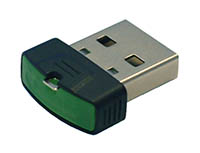
In cooperation with Microcosm we have made the solution for hardware-based Excel workbook protection from unauthorized usage and copying.
To use Dinkey dongle with a workbook compiled by DoneEx XCell Compiler you need to follow the steps:
- Compile your workbook with the option “Save into internal storage (XSTG file)” selected on XCell Compiler compilation form.
- Order the Microcosm Dinkey Pro dongles and SDK. A free trial is available.
- Install the Microcosm Dinkey Pro SDK.
- Run DinkeyAdd and apply the Shell Method of protection to your compiled workbook.
Protect workbook with Matrix dongle
In cooperation with Matrix, we created a hardware-based solution to protect your software from unauthorized use and reproduction.
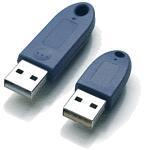 With this solution, the license is securely linked to a USB dongle and only those with the dongle can use the spreadsheets; for all others, it is locked.
Protecting your workbook with Matrix dongle:
- Download the DoneEx XCell Compiler and install it on your computer.
- Compile the XLS file. The result is a Microsoft Excel workbook in the EXE format.
- Download the Matrix Mx-Crypt tool.
- Extract and install the Mx-Crypt tools. You can copy these tools to a memory stick or any data storage device.
- Start Mx-Crypt, load the compiled EXE-file and click the “crypt” button – encrypt the EXE, linked with the Matrix dongle. Since you don’t have a dongle, this is only a test.
- Now you need the USB License Dongles. Matrix recommends the type MLU-60.
Here is the Matrix price list. You need one dongle for each license.
- You can make your own customized license arrangement to consider of all future possibilities and updates. By keeping your operational data secure and preventing of unauthorized data manipulation, you retain the highest level of protection.
- It is possible to link many files to one dongle license.
- You can set up to 79 additional 10-digit keys in a dongle memory.
- Your license allows to copy the protected spreadsheets to various computers but only the computer with the dongle has the valid license.
- The dongles work on any computer; just plug and play without the need for any software installation or drivers.
For both, DoneEx XCell Compiler as well as Mx-Crypt, free Trial versions are available.
For DoneEx XCell Compiler you need to buy the license that meets your requirements; for Mx-Crypt you need to buy as many dongles as you need for your licenses.
See Also
Workbook Copy Protection
Workbook Copy Protection with Registration Key Tool